
SEPPmail iApp1.4 - App Store
You'll be able to see results in few seconds.
Publisher Description
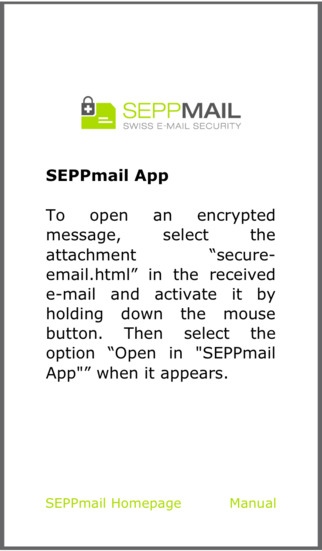
The official iApp of "SEPPmail AG" for decrypting "SEPPmail Gina"-E-mails on your iPhone or iPad.
"SEPPmail iApp" enables the decryption of secure messages which have been encrypted with the "SEPPmail Gina" procedure and received on an iPhone or iPad. "SEPPmail Gina" is an innovative E-mail encryption procedure that has been invented by "SEPPmail AG".
To test "SEPPmail iApp" generate a "SEPPmail Gina"-E-mail:
http://www.seppmail.ch/ueber-uns/online-demo/
Procedure of "SEPPmail Gina" E-mails encrypted via a "SEPPmail" appliance are delivered to the recipient and saved to their mailbox (e.g. iPhone Mail). When the encrypted attachment is opened, it is transmitted back to the "SEPPmail" appliance via a secure SSL connection and, after the correct password is entered, it is shown in decrypted format. Two-Factor Authentication guarantees message confidentiality and protects e-mails against phishing attacks.
"SEPPmail" stands for more than 10 years of experience in the field of secure messaging; the technological leadership resulting from this is recognized the world over.
Visit "SEPPmail AG":
http://www.seppmail.ch/?lang=en
or the Facebook page:
http://www.facebook.com/pages/SEPPmail-AG/254797944531260?sk=wall
Warning:
A "SEPPmail Gina"-E-mail message that has been decrypted by "SEPPmail iApp" remains active in the background and is therefore visible until "SEPPmail iApp" is terminated manually. Alternatively the browsers "Home" button within "SEPPmail iApp" can be pressed which will bring you back to the entry page.
Data connection costs:
Please be aware that "SEPPmail iApp" has to upload the encrypted attachment of a "SEPPmail Gina"-E-mail in order to decrypt a secure message. Depending on the size of the WebMail the caused connection costs may vary. If a WiFi connection is available it will have precedence. Attention: when abroad "SEPPmail iApp" can cause high roaming costs.
Disclaimer:
"SEPPmail iApp" has been carefully developed and implements the current technology standards for data encryption. Nonetheless the developer cannot guarantee that the "SEPPmail iApp" is not having any defects. Hereby the developer can neither be made responsible nor any kind of compensations can be claimed. This especially concerns the sensitive processes of decrypting a "SEPPmail Gina"-E-mail, the transfer of the encrypted data and the passwort input process. It is in the responsibility of every user to validate the displayed URL after every step of browsing during the decryption of a WebMail. By installing "SEPPmail iApp" you agree to these terms.
Aug 28, 2017 Version 1.4
This app has been updated by Apple to use the latest Apple signing certificate.
o Improve navigation when reading secure e-mails
o Allow to open secure e-mail attachments with Safari
o Allow to print directly from the app
o Fix bug that lost secure e-mail on initial app start
o Switch from company page to tutorial page on initial app start
About SEPPmail iApp
The company that develops SEPPmail iApp is SEPPmail AG. The latest version released by its developer is 1.4.
To install SEPPmail iApp on your iOS device, just click the green Continue To App button above to start the installation process. The app is listed on our website since 2017-08-28 and was downloaded 0 times. We have already checked if the download link is safe, however for your own protection we recommend that you scan the downloaded app with your antivirus. Your antivirus may detect the SEPPmail iApp as malware if the download link is broken.
How to install SEPPmail iApp on your iOS device:
- Click on the Continue To App button on our website. This will redirect you to the App Store.
- Once the SEPPmail iApp is shown in the iTunes listing of your iOS device, you can start its download and installation. Tap on the GET button to the right of the app to start downloading it.
- If you are not logged-in the iOS appstore app, you'll be prompted for your your Apple ID and/or password.
- After SEPPmail iApp is downloaded, you'll see an INSTALL button to the right. Tap on it to start the actual installation of the iOS app.
- Once installation is finished you can tap on the OPEN button to start it. Its icon will also be added to your device home screen.
Program Details
System requirements
Download information
Pricing
Version History
version 1.4
posted on 2017-08-28
Aug 28, 2017 Version 1.4
This app has been updated by Apple to use the latest Apple signing certificate.
o Improve navigation when reading secure e-mails
o Allow to open secure e-mail attachments with Safari
o Allow to print directly from the app
o Fix bug that lost secure e-mail on initial app start
o Switch from company page to tutorial page on initial app start
version 1.4
posted on 2017-08-28
Aug 28, 2017 Version 1.4
o Improve navigation when reading secure e-mails
o Allow to open secure e-mail attachments with Safari
o Allow to print directly from the app
o Fix bug that lost secure e-mail on initial app start
o Switch from company page to tutorial page on initial app start
version 1.0
posted on 2013-01-11
version 1.4
posted on 1970-01-01
2017年8月28日 Version 1.4
o Improve navigation when reading secure e-mails
o Allow to open secure e-mail attachments with Safari
o Allow to print directly from the app
o Fix bug that lost secure e-mail on initial app start
o Switch from company page to tutorial page on initial app start
Disclaimer
Official App Store Link
We do not host SEPPmail iApp on our servers. We did not scan it for viruses, adware, spyware or other type of malware. This app is hosted by Apple and passed their terms and conditions to be listed there. We recommend caution when installing it.
The App Store link for SEPPmail iApp is provided to you by apps112.com without any warranties, representations or guarantees of any kind, so access it at your own risk.
If you have questions regarding this particular app contact the publisher directly. For questions about the functionalities of apps112.com contact us.
